Android app · Web
What you read today,
knowledge you can use tomorrow.
Tap Share once in your browser, news, blog or social app, and AI reads the article and organizes its key points, each backed by evidence from the original. Everything sorts itself into Spaces by topic, and when you want it again, one word you remember is all it takes to find it.

- Start right away with your Google account
- AI never overwrites the original or your notes
- Export to a file anytime
All those “I'll read it later” articles. Do you ever really find them again?
- Note to self
Links you send yourself just pile up in the chat.
- Bookmarks
You bookmarked it, but now you can't remember where.
- Memory
You know you read it, but you can't remember what it was about.
With 1234asdf, AI reads each article the moment you save it. So you can find it again by what it says, not by its title, and see right away which part of the original each organized sentence came from.
Share once. 1234asdf does the rest.
Save, get it organized, find it again. Three steps, with no waiting for the organizing to finish. Just move on to the next article.
Save
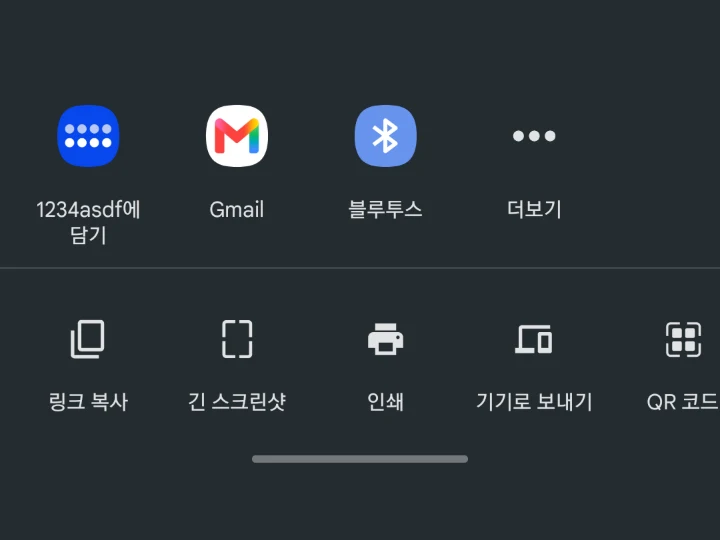
In your browser, news, blog or social app, open the share menu and pick “Capture to 1234asdf”. It's saved on your phone first, so it works even on the subway.
Organize
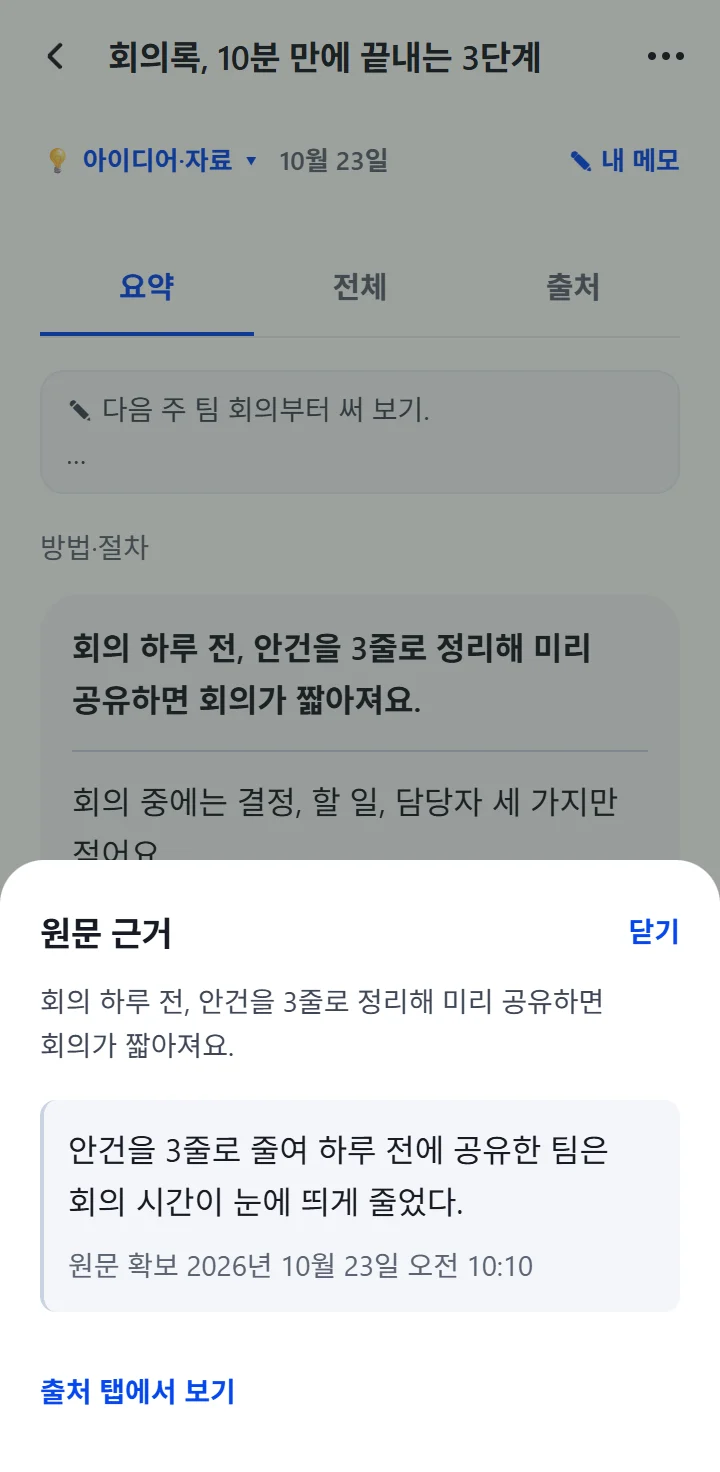
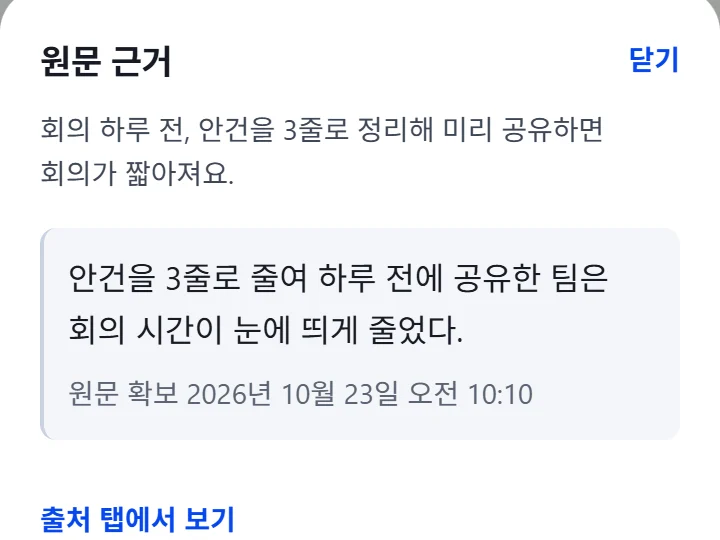
Key points kept short, details kept complete. Tap any sentence to see which part of the original it came from.
Find again
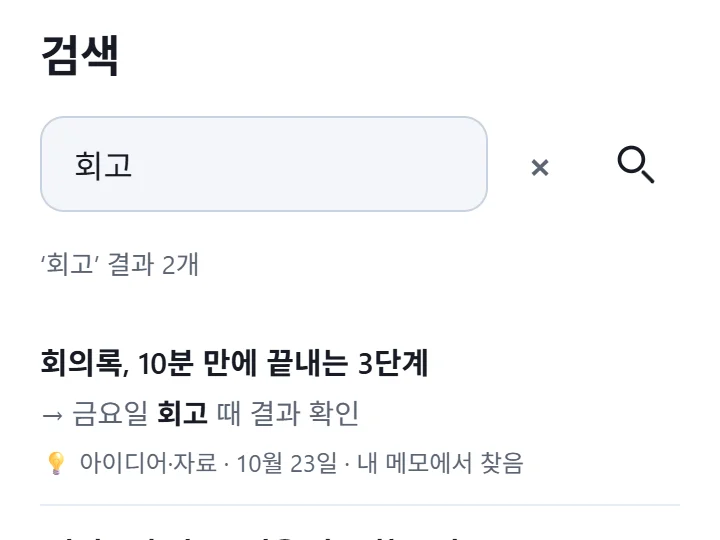
Search titles, organized content, the original and even your own notes, all at once. One word you remember is enough.
- The original stays. We keep the article exactly as it was when you saved it.
- Your edits come first. Even when AI reorganizes, your titles and notes are never overwritten.
- Shown as it is. If we could only fetch part of the original, we tell you.
Organized to fit each kind of article.
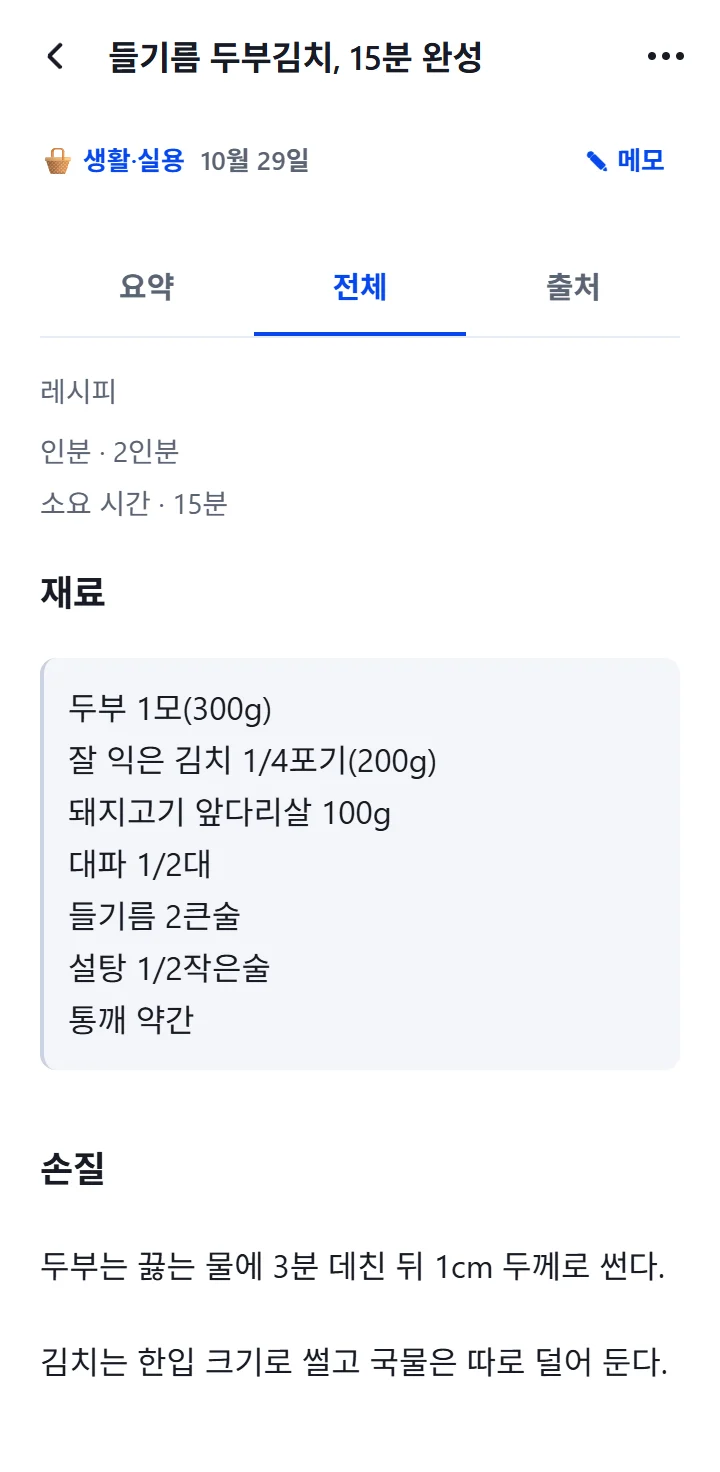
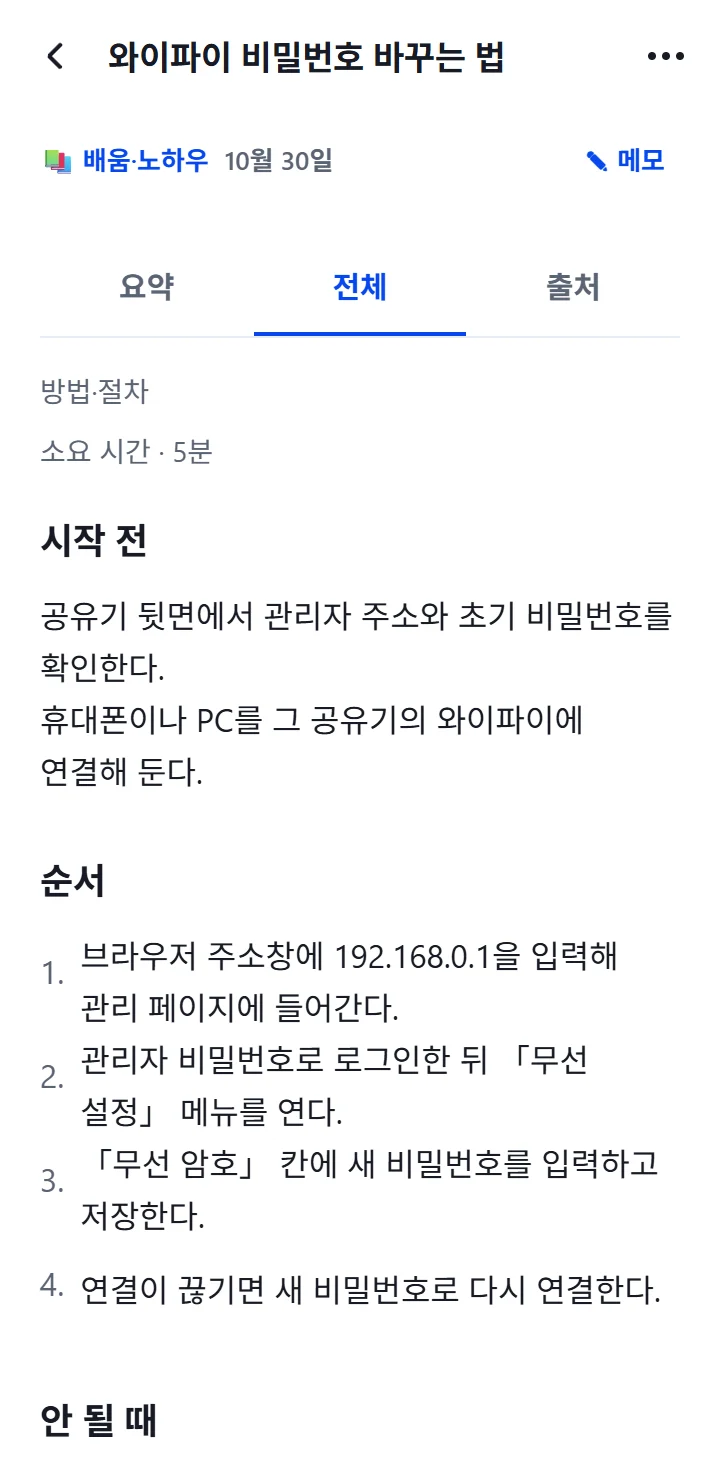
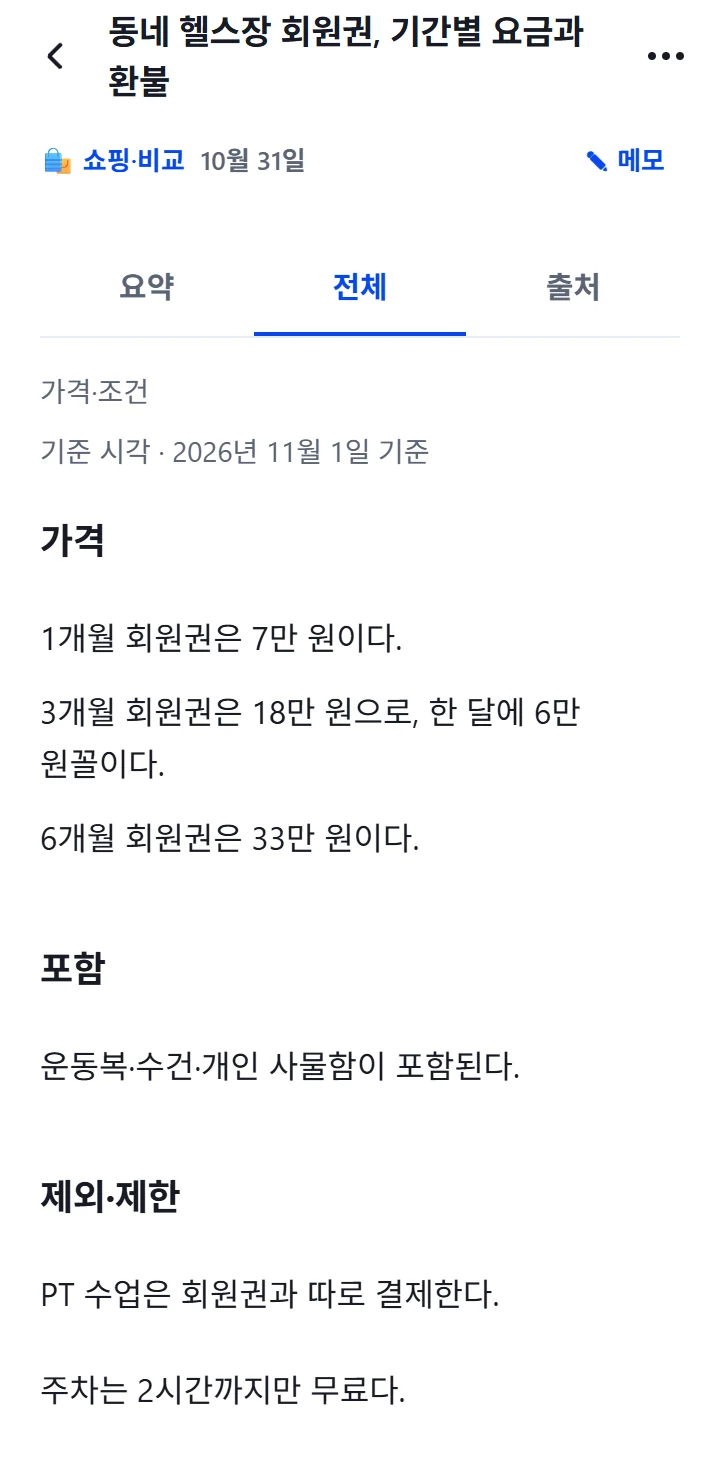
Recipes by ingredients and cooking steps, how-tos by what to prepare and the steps, pricing pages by prices and terms. Not every article gets squeezed into the same template, and every sentence keeps its evidence from the original.
By ingredients and cooking steps
The ingredient list stays exactly as the original has it, and you read through from preparation to storage, in order. Servings and how long it takes are shown just as the original gives them.
- Ingredients
- Preparation
- Cooking steps
- Tips
- Storage
What to prepare, then each step
From what to get ready before you start, through the numbered steps, to what to do when it doesn't work, it's all laid out in order. If the original numbers its steps, those same numbers are kept.
- Before starting
- Steps
- Troubleshooting
- Tips
Prices and terms at a glance
Prices, what's included, what's left out, and cancellation and refund terms are shown separately. The date the prices are based on stays exactly as the original gives it.
- Prices
- Included
- Exclusions & limits
- Cancellation, refunds & terms
It also recognizes “Lists & Q&A”, “Measurements & use”, “Data & tables” and “Work” (creative works), and organizes each one to fit.
Sorted for you. What's yours stays as it is.
Let AI do the organizing. The knowledge is still yours.
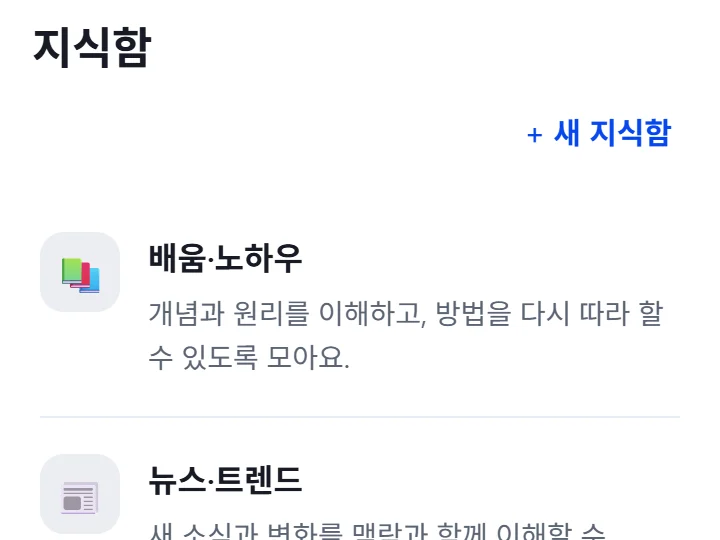
Spaces by topic
Saved articles sort themselves into Spaces such as “Learning · Know-how” and “News · Trends”. You can move them yourself any time.
Your notes, untouched
AI never changes or overwrites the notes you leave as you read. You can also find things again by the words in your notes.
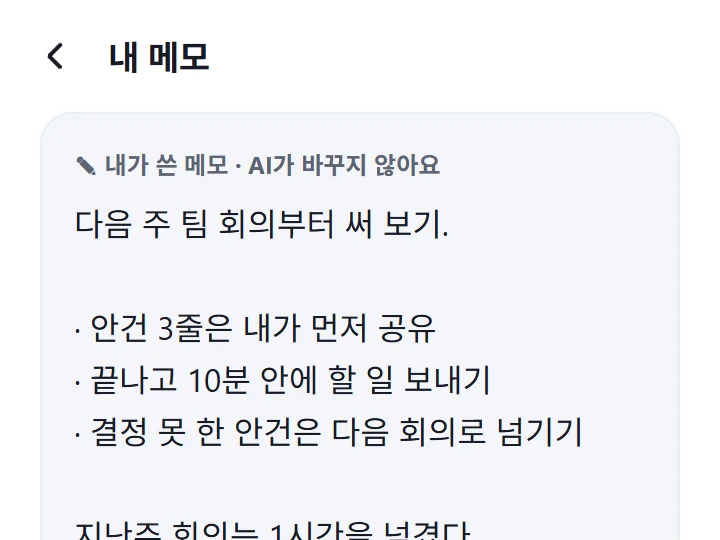
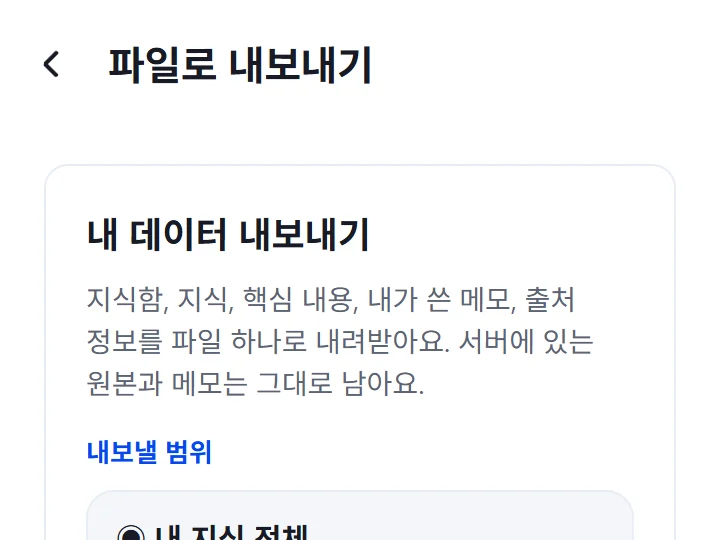
Export to a file
Download all your knowledge or a single Space as a file. To delete your whole library or your account, send a request by following the guide in the app.
Next: inside the AI you already use.
Connect 1234asdf to an AI app like Claude, and the AI looks for answers in what you've read and saved, not somewhere on the internet. Your knowledge doesn't stop at being saved. It goes straight into your next task.
 ChatGPT
 Claude
 Gemini
Connect from Claude nowMore about the AI connection
I've got tofu and kimchi in the fridge. What can I make from my saved recipes?
Two of your saved recipes are a perfect fit.
Tofu kimchi with perilla oil takes just 15 minutes. The trick, according to the recipe, is to stir-fry the kimchi in perilla oil first.
Kimchi stew takes 25 minutes. Your note from last time says “rice-washing water instead of anchovy stock.”
- Tofu kimchi with perilla oil, ready in 15 minutes · Oct 29
- The perfect ratio for kimchi stew · Oct 19
- My note · Oct 20
Draft an announcement for tomorrow's team meeting. Follow the meeting article I saved.
Here's a draft that follows the approach in your saved article.
“The agenda for tomorrow's 10 a.m. meeting is in the 3 lines below. During the meeting, we'll write down only decisions, to-dos and owners, and I'll share the to-dos within 10 minutes after we wrap up.”
- Meeting notes done in 10 minutes: 3 steps · Oct 23
- My note · Oct 24
Jeju trip next week. Can you group my saved articles by route?
I've split your 5 saved articles into a two-day route.
Day 1: Seongsan Ilchulbong → Seopjikoji. Both articles say to go early in the morning.
Day 2: an oreum hike → Hyeopjae Beach. You'll need sneakers for the oreum, they say.
- Autumn in Jeju, 3 nights and 4 days: oreum trails · Oct 21
- How to see the sunrise at Seongsan · Oct 3
- 3 other articles
MCP (Model Context Protocol) is an open standard that lets AI tools read outside sources safely. The 1234asdf connection follows it. Other AI apps each have their own connection requirements.
Frequently asked questions
What is 1234asdf?
It's a personal knowledge app for Android and the web. Save something you're reading in another app with one tap on Share, and AI reads the original and organizes the key points and details, with evidence from the original. Organized articles go into Spaces by topic, and you can find them again with any word you remember.
Which apps can I save from?
Any app with a share menu. You can save from browsers, news and blogs, and even public social media posts. You can also paste a link inside the app to save it.
What about posts I can only see when signed in?
Public posts are fetched without signing in. Sites that require sign-in or block access may keep us from fetching the full text. When that happens, we tell you plainly with “Source partly acquired”, and you can fetch the original again in the app or paste the text in yourself.
Is what I save used to train AI?
No. To organize them with AI, we send your saved articles and notes to the OpenAI and Anthropic APIs, but data sent this way isn't used to train AI. You'll find the details in our privacy policy.
Can I export or delete my data?
Yes. You can download all your knowledge or a single Space as a file. You can delete saved items one by one with “Move to Trash”, and to delete your whole library or your account, send a request by following the guide in the app. We take care of it after confirming it’s you.
How is it different from bookmarks or a “note to self”?
It's not just a pile of links. The moment you save, AI reads the article and organizes its key points and evidence. Even if you can't remember the title, you can find it by a word in the content and see right away where each organized sentence came from in the original.
Can I use it on an iPhone or a computer?
On a computer, sign in to the web version (app.1234asdf.com) with your Google account. On the web, you save an article by pasting its link, and with the same account as the Android app you see everything you have saved. The iPhone app is on the way.
Download it now on Google Play.
Install it on your Android phone, or start right away on the web from your computer. The iPhone app is on the way.