News ·
1234asdf is now available on Google Play
Save what you read with one tap on Share, get notes shaped to each kind of article, and find them again with any word you remember. Anyone can get it on Android now.
We built 1234asdf so the articles that pile up in bookmarks and "message to myself" chats actually get used again. We polished it with feedback from the people who tried it first, and now anyone can get it on Google Play.

Three things to try first
- In any article, tap Share and choose "Capture to 1234asdf". You can pick a Space later.
- Open the article you just saved from the Recent tab. You'll find notes shaped to the kind of article, with evidence from the original for each key point.
- Add a one-line note, then try finding the article later in Search with a word from that note.
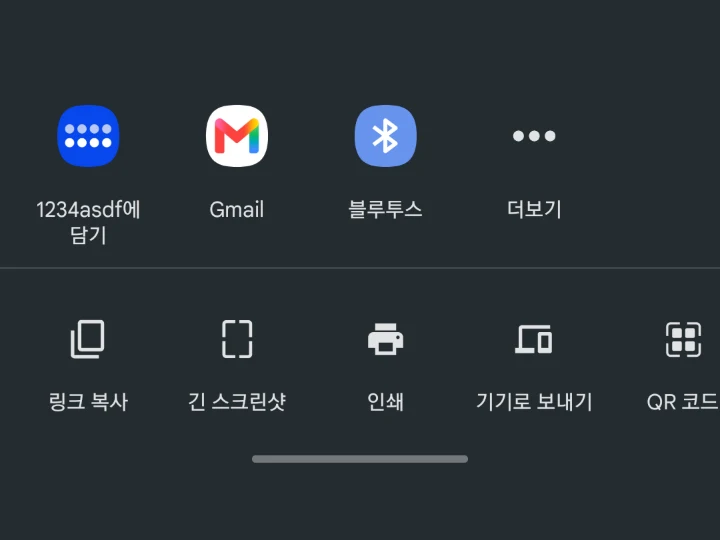
What works today
- Saving with Share on Android, or pasting a link inside the app
- Notes shaped to the kind of article, like a recipe, a procedure or prices & terms
- Evidence from the original for each key point, and the original text as it was
- Spaces by topic, your own notes, and search across titles, text and notes
- Exporting to a file, and a trash you can restore from
What's next
- The iOS app and the web app for PC
- Connecting the AI you already use (ChatGPT, Claude, Gemini) so it can look things up in your library (MCP)
- Saving text and photos, not just links
Tell us what you think
If something gets in your way or you would like something added, write to help@1234asdf.com. We use what you send us to keep improving the app.