Ingredients first for recipes, terms first for pricing: notes shaped to each kind of article
One summary line made recipes and price lists hard to use again. So each kind of article is organized into the sections you need when you come back to it.
When you reopen a recipe, you need the ingredients and the steps. When you reopen a price list, you need the prices, what's included and excluded, the cancellation terms, and the date it applies to. When every article became the same kind of summary, we still had to dig through the original for the part we actually needed.
Eight kinds, each with its own sections
1234asdf reads the article you save, decides its kind, and organizes it into the sections for that kind.
- Recipe: Ingredients, Preparation, Cooking steps, Tips, Storage, Substitutions
- Procedure: Before starting, Steps, Troubleshooting, Tips
- Lists & Q&A: Items
- Measurements & use: Measurements, Usage results, Choosing, Using
- Prices & terms: Prices, Included, Exclusions & limits, Cancellation, refunds & terms
- Data & tables: Table, Key details
- Work: Information, Plot, Characters, Setting, Memorable lines
- General: Content
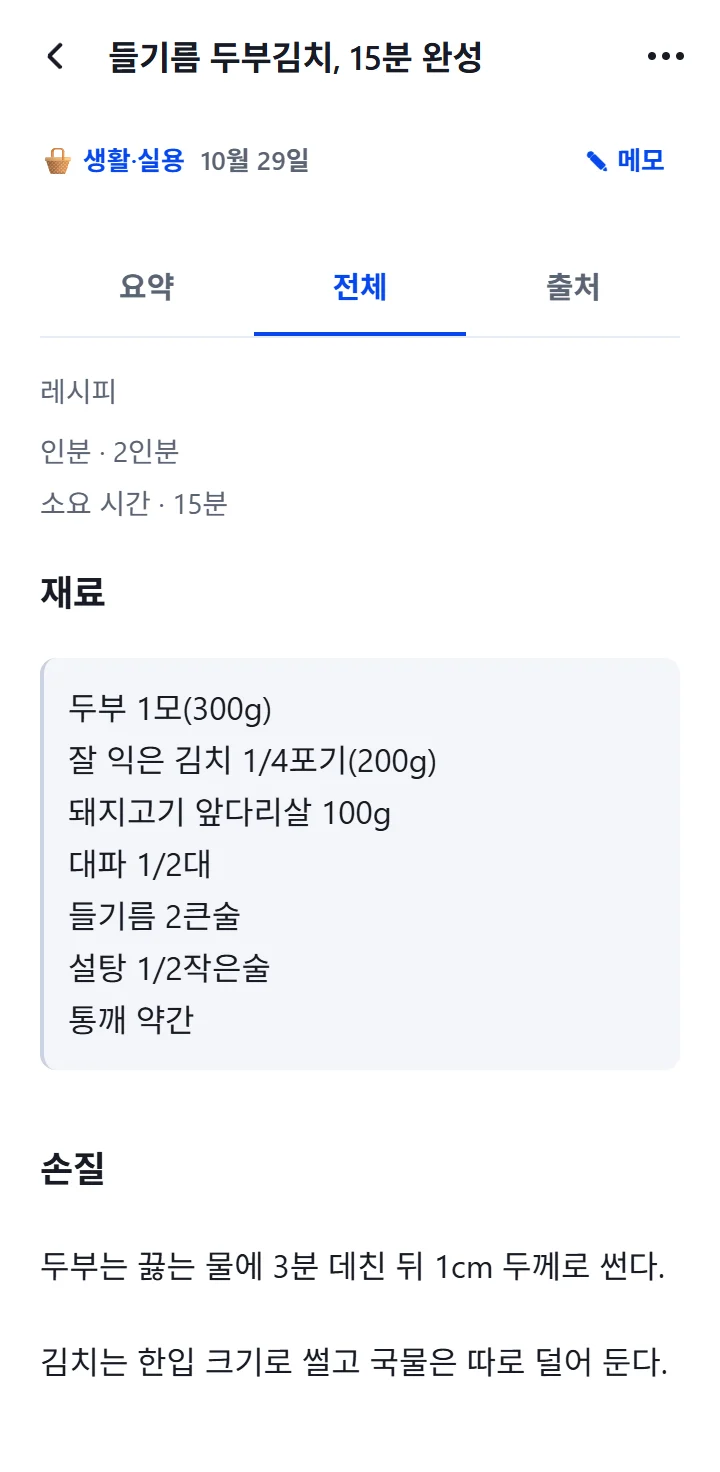
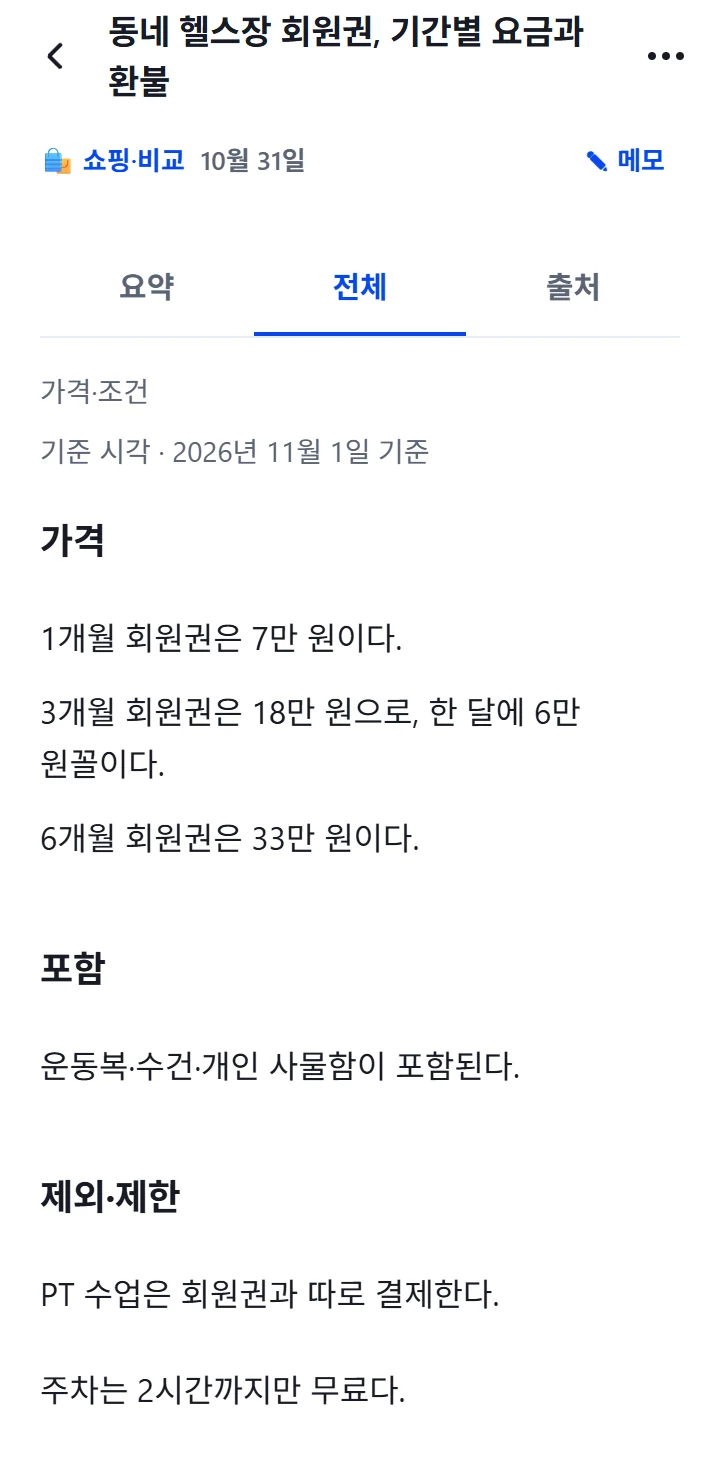
Conditions sit above the sections
How many servings, how long it takes and which date a price applies to are the first things you check when you use an article again. So conditions like Servings, Duration, As of and Deadline are shown above the sections. When the deadline on a price list has passed, it is marked "The deadline has passed" so you check the original again before relying on it.
What should stay as written, stays as written
Parts that should not be reworded, like ingredient lists, tables and memorable lines, are copied from the original without AI rewriting. Every article also has an Original text section, so you can always compare the notes with the source.
When the kind isn't clear
Articles that mix several kinds are organized as General. If the content does not fit a kind's sections, nothing is forced in, and the app says "Showing the content in a general view."
The user guide walks through each screen.