How-to ·
Check just the ingredients of a saved recipe before you shop
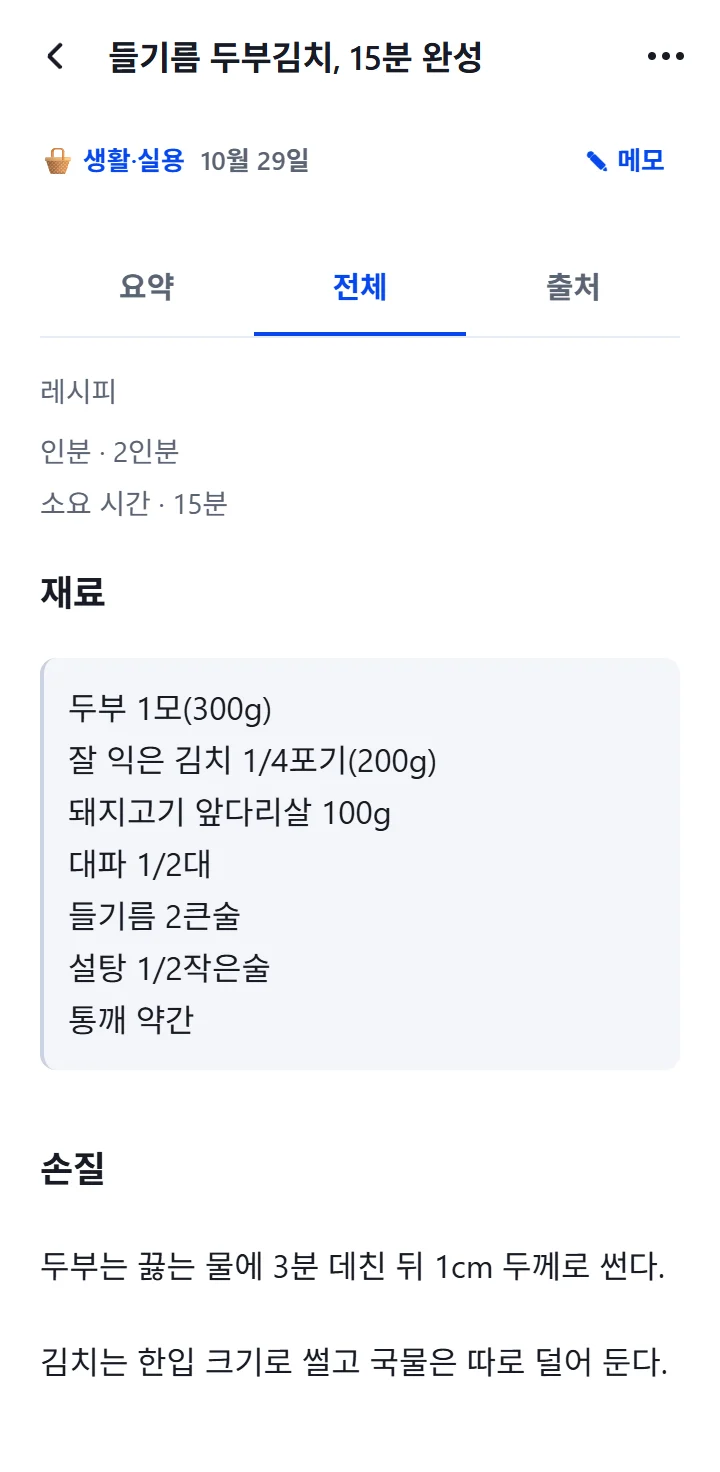
A saved recipe is organized into ingredients, preparation and cooking steps. Before you go shopping, just open the ingredients in the Details tab.
Recipes you find on cooking blogs or under videos are hard to find again when you are actually shopping. You end up scrolling through a long post just to find the ingredient list.
Try it like this
- While reading a recipe, tap Share and choose "Capture to 1234asdf".
- Once it is organized, open it and tap the Details tab. A recipe is split into Ingredients, Preparation and Cooking steps.
- Add a note about when you will use it, like "weekend shopping".
- Before you shop, search for that word in Search to bring your saved recipes together.
Good to know
- Servings and Duration appear above the sections, so you can see right away how many servings it is for.
- The Ingredients section is not rewritten by AI; it is copied from the original.
- Tips, Storage and Substitutions are organized too when the original includes them.