How-to ·
Bookmarks piling up? Three ways to save so you find things again
Saving is easy, but finding things again is hard. Here are three habits: note in one line where you'll use something when you save it, group things by what they're for, and start with the key points when you come back.
Browser bookmarks, “message to myself” chats, a camera roll full of screenshots. There's no shortage of places to save things, yet when you actually need something, you rarely find it and use it again. That's because the moment you save something, it's all in your head, but a month later you've forgotten why you saved it in the first place. Three habits are all it takes to save things you'll actually find again.
1. When you save, write one line on where you'll use it
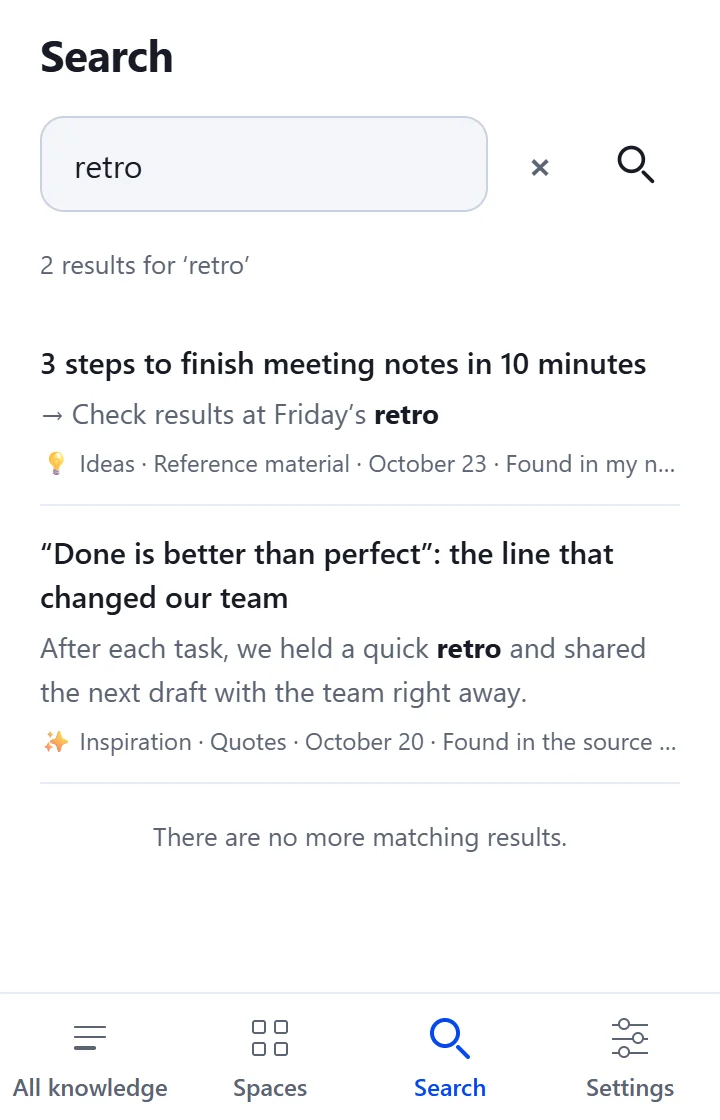
Titles are what the author chose, so they often don't match the words you'll think of later. Jot down just one line about where you'll use it, like “table for the quarterly report” or “check when moving”, and you can find it again with those words.
In 1234asdf, you can leave a one-line note when you save or afterward. Search for a word you wrote in a note, and the result is marked “Found in my notes”.
2. Group things by where you'll use them, not where they came from
Sort things by source, like news, blogs and video descriptions, and you end up digging through one place after another just when you need to get work done. Group them by use instead, like “Moving prep” or “Team onboarding”, and everything is in one place.
In 1234asdf, that's what Spaces are for. You don't have to pick one right when you save, and you can move things later. One Space per project is plenty.
3. When you come back, start with the key points, not the beginning
Reading a saved article from the top every time you reopen it takes time. 1234asdf organizes what you save to fit its kind, so a recipe starts with the ingredients and a pricing page starts with the prices and terms. Tap a key sentence, and you can also see right away which passage of the original it came from.
The three habits, one line each
- When you save: a one-line note on where you'll use it
- When you collect: by project or topic, not by source
- When you come back: key sentences and evidence first
What about the bookmarks you already have?
Rather than trying to move them all at once, start by saving the ones you find yourself opening again, one at a time. On a computer, the Chrome extension saves the article you're reading with one shortcut; on an Android phone, you can save from the share menu. Just adding a one-line note when you save makes things much easier to find next time.