How-to · · Updated
How to ask Claude about the articles you've saved
Connect 1234asdf to Claude, and Claude finds and reads the knowledge you saved, then answers with sources showing which article each part came from. It takes three steps.
Once your saved articles start piling up, the next step is putting them to use. Since November 13, you can connect 1234asdf to Claude. Once connected, Claude looks through the knowledge you saved, not somewhere on the internet, and answers with sources showing which article it came from.
Save a few articles first
Claude only finds and reads the knowledge you've saved. If you're just starting, save a few articles on topics you come back to often. The more you save, the richer the answers get.
Connect in three steps
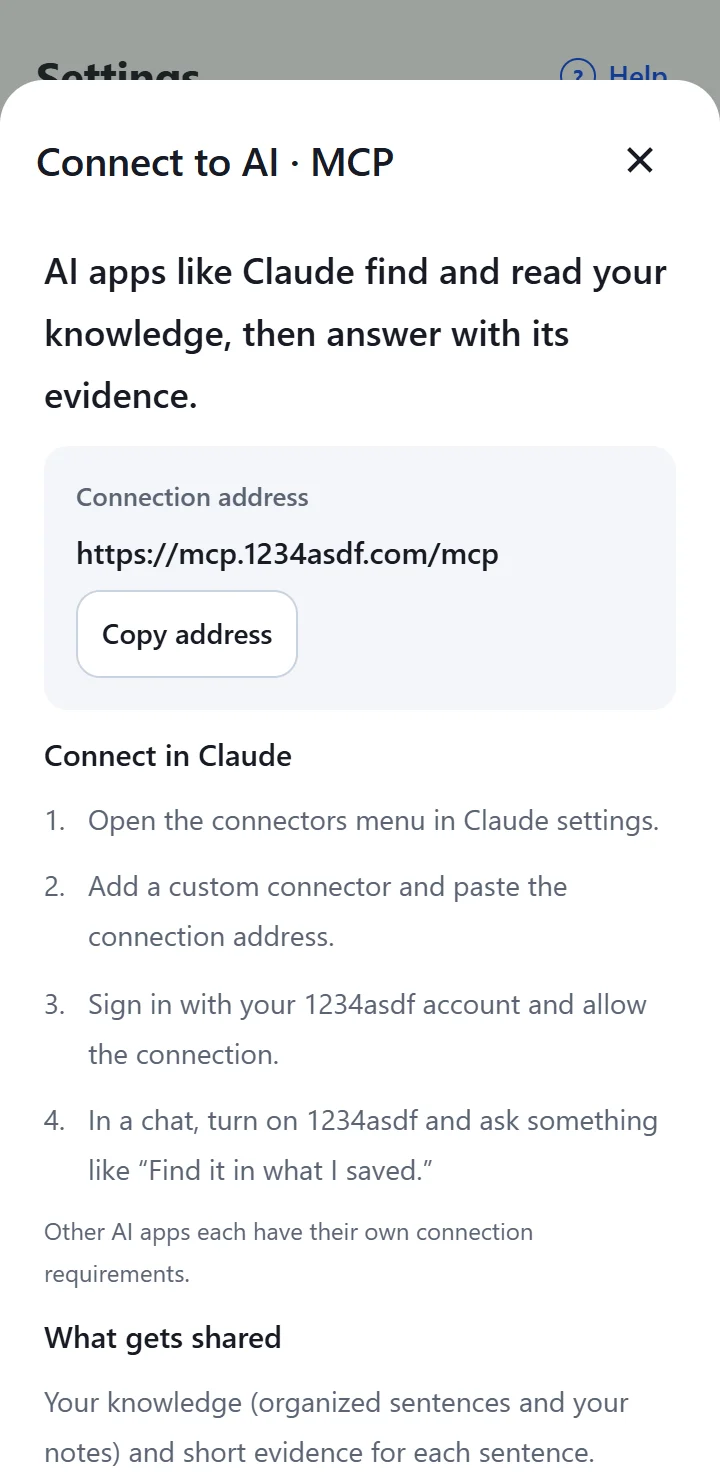
- In the app, open “Settings → Connect to AI · MCP” and copy the connection address. The address is https://mcp.1234asdf.com/mcp.
- In Claude's settings, open connectors, add a custom connector and paste the connection address.
- Sign in with your 1234asdf account and allow the connection.
Try asking like this
Turn on 1234asdf in a chat, then ask Claude to look in what you've saved.
- Find ways to keep meetings short in the articles I saved.
- Pick something for dinner tonight from my saved recipes.
- Group my saved travel articles into a route.
Claude answers from the knowledge it finds and adds sources showing which article each part came from. To double-check, open that article in 1234asdf and look at the evidence from the original.
What gets shared
- Only your knowledge (the organized sentences and your notes) and short evidence for each sentence.
- Sensitive spaces, the Trash and full original text are never sent.
- Claude can only read. It doesn't save, edit or delete anything.
- What's shared follows the privacy policy of the AI company you connect.
To disconnect
Remove the 1234asdf connection in Claude's connector settings. Chats that already read your knowledge may stay in that app.
Other AI apps
You can connect ChatGPT with the same address too (checked November 22, 2026). The steps are in our post “How to ask ChatGPT about the articles you've saved.” Other AI apps each have their own connection requirements.